Vector Scientific Testing Devices
Product
Desktop Software
Skills
UI/UX Design, Desktop Software UI, Data Visualization, UX Writing, UI System Architecture
My Role
Junior Digital Product Designer
Date
Team
Salih O.
About the Project
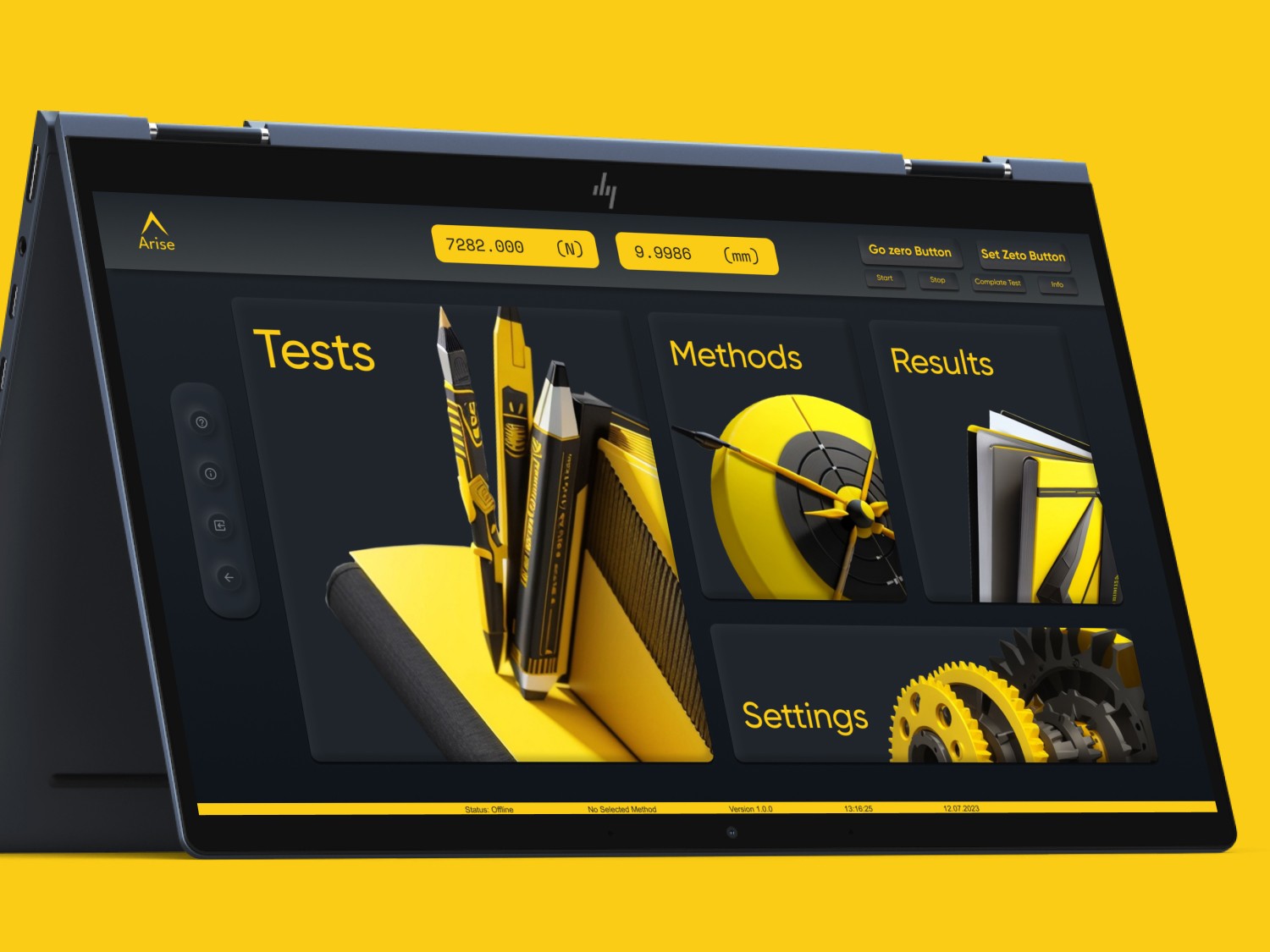
This desktop software is used to control physical testing devices, create test methods, monitor real-time data, and analyze results.
My Role
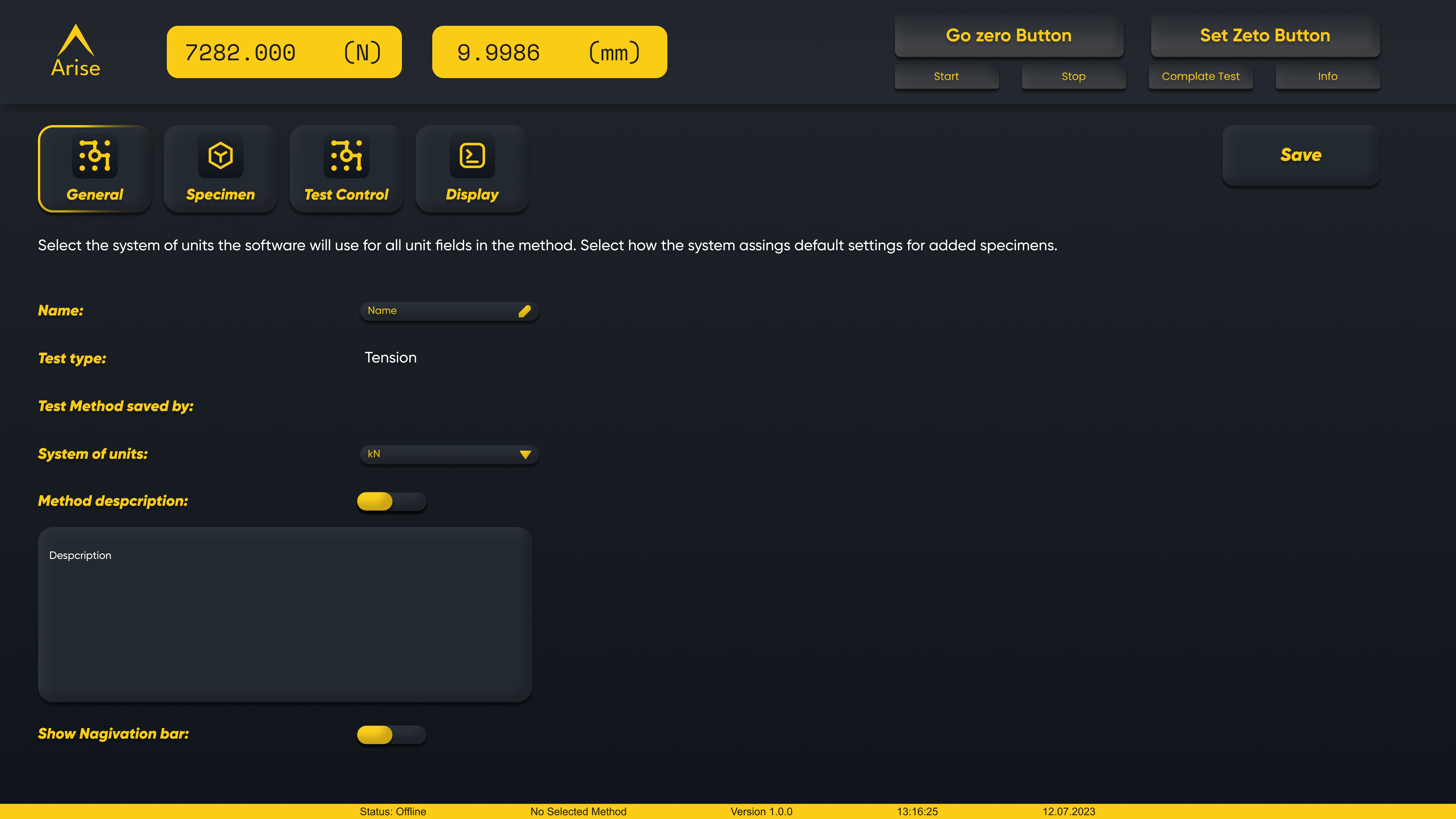
As part of this project, I designed a 16:9 layout optimized for both mouse and touch-enabled screens. To ensure comfortable use on touch devices, I tested and adjusted button sizes and spacing based on user needs. Considering industrial lighting conditions and the brand’s corporate colors, I implemented a dark-theme interface.
Problem Statement
The previous interface had several usability issues critical for scientific testing environments:
Complex data structures were difficult to read quickly.
There was no clear hierarchy between Tests → Methods → Results.
The interface was not optimized for lab-friendly.
Operators lacked proper safety feedback on high-risk actions.
Real-time data visualization was cluttered and hard to interpret.
Research
Through observations of engineers and lab operators, it became clear that the interface needed precision, readability, and minimal distraction to support highly technical workflows.
Detailed Findings
User Profile: Engineers require speed and clarity despite having high technical knowledge.
Flow Analysis: The path from starting a test to viewing results had too many unnecessary steps.
Theme Requirements: Dark theme was essential due to lab conditions.
Data Visualization: Real-time graphs needed simplicity and reliability.
Error Prevention: Critical actions required verification to prevent operator mistakes.
Solution Approach
I designed a data-centric and accuracy-focused interface. Each screen was broken into micro-flows to support engineering decision-making throughout the test process.
Detailed Solutions
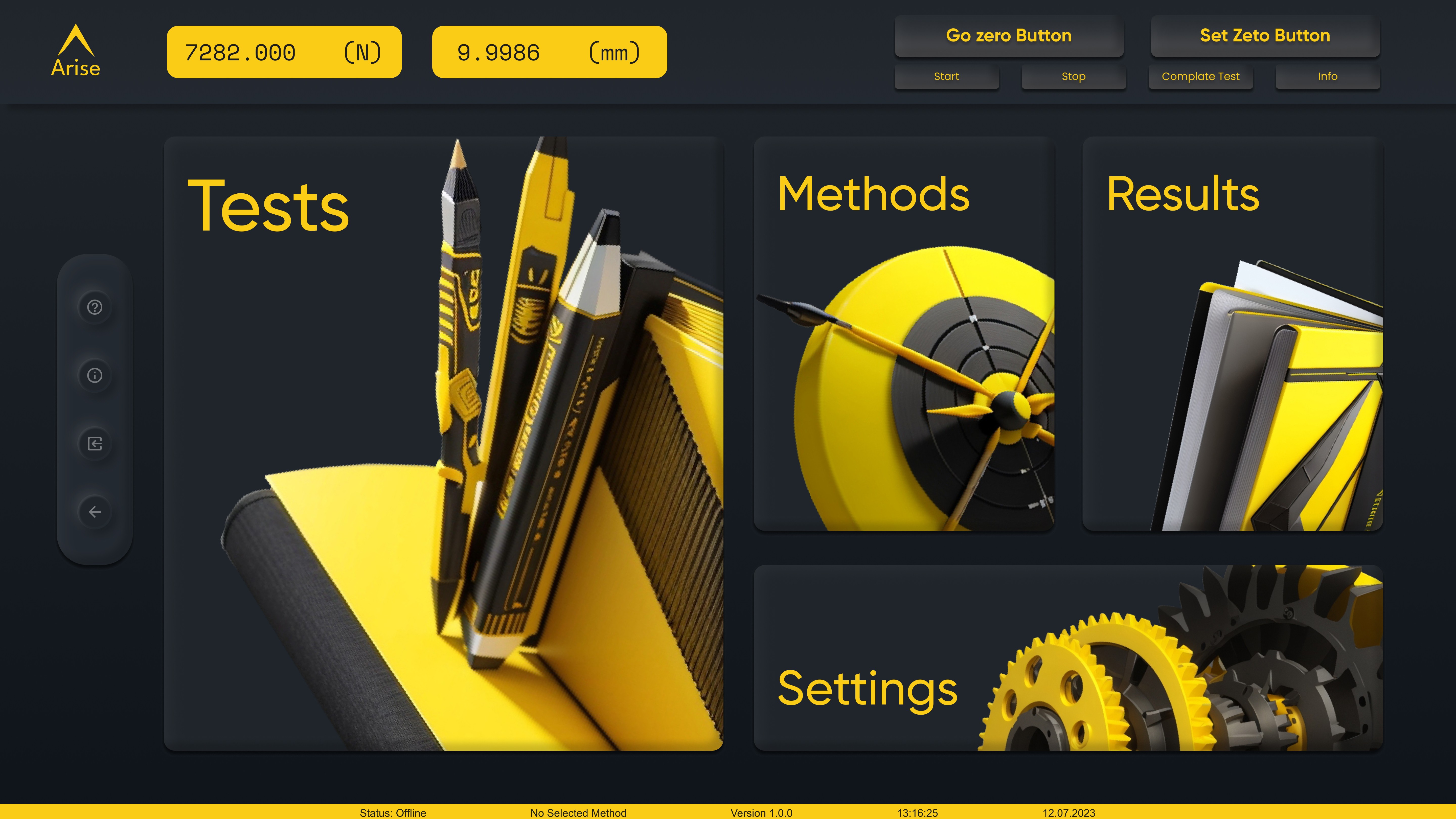
The main dashboard was redesigned into four modules: Tests, Methods, Results, Settings.
Dark theme + yellow highlights were used to emphasize critical touchpoints.
Real-time graph components were simplified for better readability.
Method creation was enhanced with application-specific presets.
Critical actions (“Start Test”, “Go Zero”, “Complete Test”) were protected with warning dialogs.
A minimal technical icon set was developed for lab environments.
My Design Principles
A design approach focused on technical accuracy and clarity: all presented data must be readable and transparent, complex device operations should be managed with minimal cognitive load, and critical actions must include feedback that prevents operator errors. By ensuring a consistent UI language across all modules and minimizing distractions, only the essential information is displayed on engineering-oriented screens.
Unclear Navigation and a Fragmented User Journey
The application lacked a clear navigation structure, causing users to get lost between test screens. This resulted in a fragmented and confusing user journey.
Solution:
I redesigned the entire user journey from scratch.
The homepage was reorganized to direct users into 4 primary action areas.
A consistent and guiding navigation structure was created.
Complex Data Presentation and Non-Responsive Components
Data was presented in a confusing way, and values that changed from test to test were displayed within the same structure—causing users to misread results. In addition, the components were not responsive, leading to visual inconsistency across screens.
Solution:
All data components were redesigned to be fully responsive.
The hierarchy between graphs and tables was clarified.
A stable data structure was created to prevent mixing between test results.
Critical values were visually highlighted to improve readability.
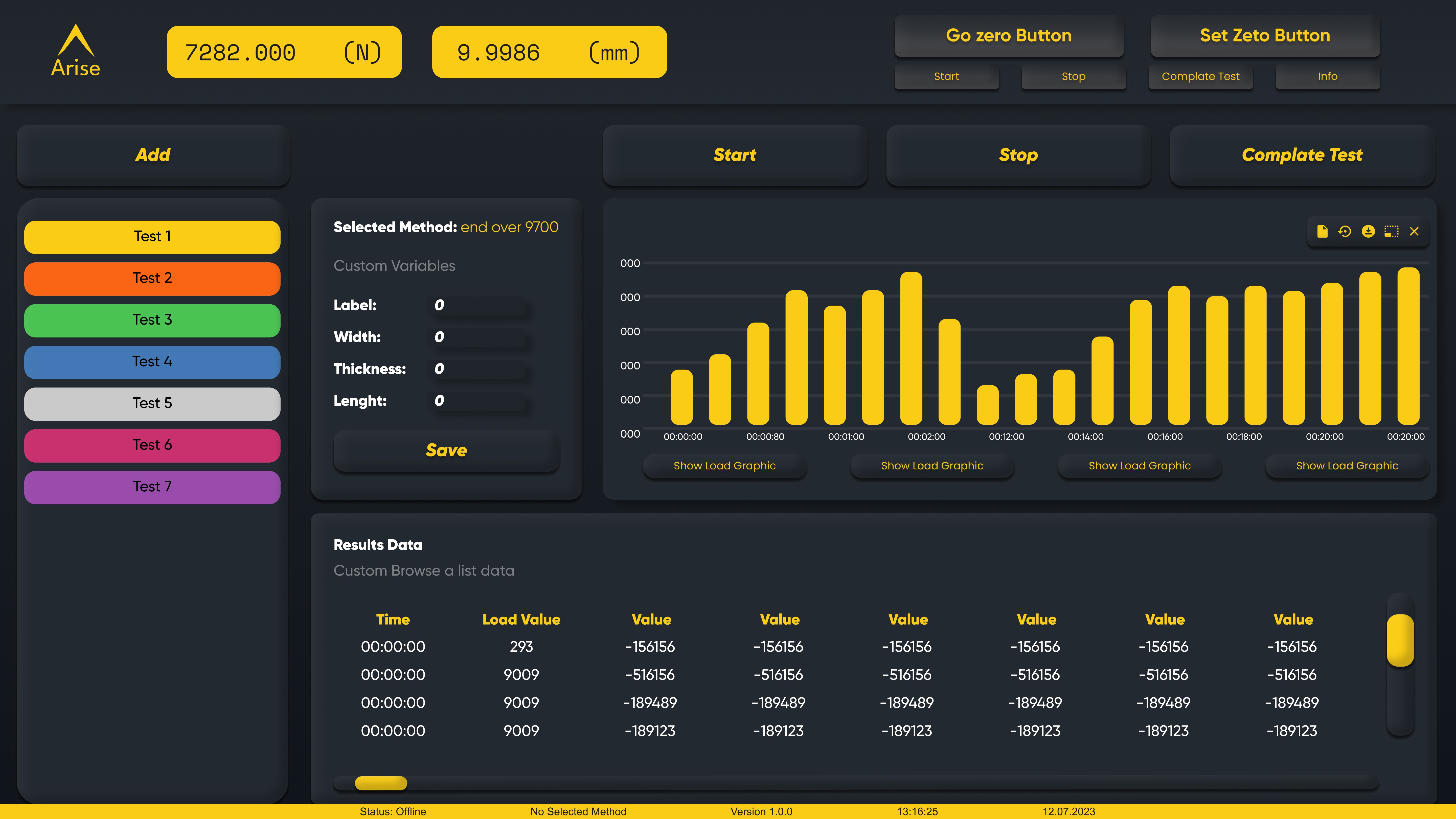
Complex Test Creation Process & High Error Risk
Critical steps such as creating a new test, selecting the method, and defining the procedure were all handled from a single screen. This increased cognitive load and often caused users to make mistakes.
Solution:
I designed a step-by-step flow to make the entire process clearer and more structured.
Each step was separated into dedicated screens that guided users through the correct sequence.
With supportive feedback and a linear flow, the risk of user errors was significantly reduced.
This project showed me how crucial clarity and precision are in industrial UI design.
Future steps may include user testing to further refine data visualization and improve operator workflows.
Improved readability of scientific data.
Faster navigation for technical users.
More reliable real-time graph interpretation.
Strengthened operator safety through feedback systems.
A unified design system across all modules.